Shader - Lightning - 0

Firstly the basic procedural line with a  falloff gradient for "glowing" outputs!

Firstly the basic procedural line with a falloff gradient for "glowing" outputs!

Adding some distortion with a simple  gradient noise texture!

The grayscale value of the channel is "wobbling" the procedural line up and down since I'm just adding the value to a single axis of the offset

Adding some distortion with a simple gradient noise texture!

The grayscale value of the channel is "wobbling" the procedural line up and down since I'm just adding the value to a single axis of the offset

Some static UV scrolling to create the illusion of movement

Some static UV scrolling to create the illusion of movement

Stacking additional noise layers

Stacking additional noise layers

Stretching the quad to better evaluate the length of the lightning and masking with a very simple procedural UV mask to maintain the tips of the lightning within the center of the mesh

Stretching the quad to better evaluate the length of the lightning and masking with a very simple procedural UV mask to maintain the tips of the lightning within the center of the mesh

Adding some "bouncing / mirroring" intermetiate animation that "flips" the distortion value, using another input texture scrolling with ZERO tiling (to reach all pixels of the mesh at once), almost creating the illusion of multiple lightning arcs

Adding some "bouncing / mirroring" intermetiate animation that "flips" the distortion value, using another input texture scrolling with ZERO tiling (to reach all pixels of the mesh at once), almost creating the illusion of multiple lightning arcs

Then added  some "flickering" to the thickness of the lightning by  adding another scrolling  noise texture that interpolates within a given thickness range

Then added some "flickering" to the thickness of the lightning by adding another scrolling noise texture that interpolates within a given thickness range
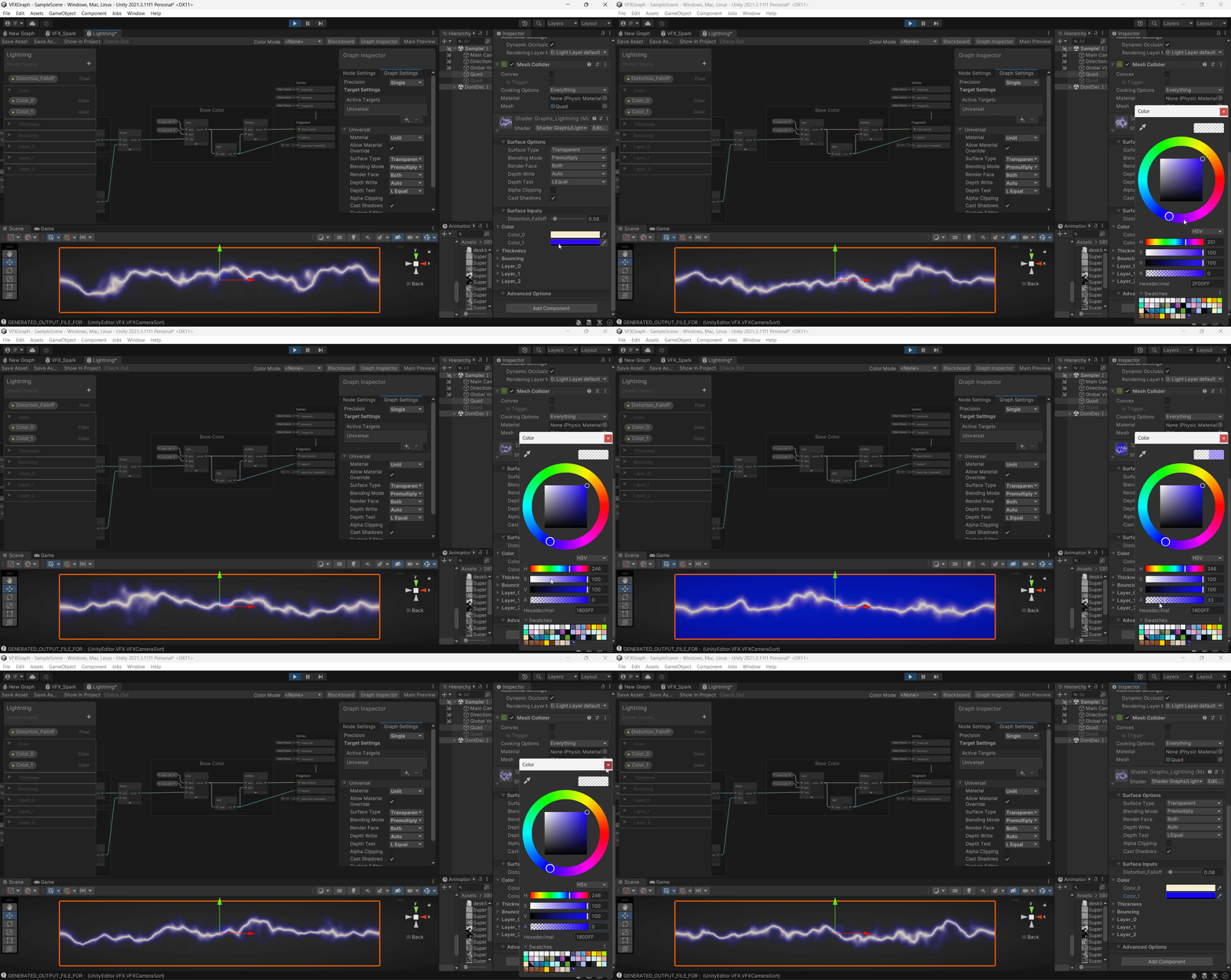
Added colors, transparency and set the graph for premultiply (achieving the dark halo with additive energy for better contrast)

Added colors, transparency and set the graph for premultiply (achieving the dark halo with additive energy for better contrast)

Then chained 2 recoloring operations (maybe replace the whole lightning color using a ramp / gradient texture to remap the grayscale?)

Then chained 2 recoloring operations (maybe replace the whole lightning color using a ramp / gradient texture to remap the grayscale?)

Shifted the AlphaBlend / Outer Shadow operation to the end of the Graph and added a variable to handle the strength

Shifted the AlphaBlend / Outer Shadow operation to the end of the Graph and added a variable to handle the strength

Added an intermediate step to phase-in  and phase-out the lightning arc like 2 electrical fingers trying to connect  to  each  other, using another procedural UV mask  and a slider with some hard-coded smoothing curves

Added an intermediate step to phase-in and phase-out the lightning arc like 2 electrical fingers trying to connect to each other, using another procedural UV mask and a slider with some hard-coded smoothing curves

Added a "master" multiplier to turn on and off all of the noise layers simultaneously

Added a "master" multiplier to turn on and off all of the noise layers simultaneously

Added some "offsets"  to each of  the scrolling noise layers, to allow later animation  of these parameters, mostly  replacing the Time node if I  turn the master speed handle off

Added some "offsets" to each of the scrolling noise layers, to allow later animation of these parameters, mostly replacing the Time node if I turn the master speed handle off

Trying out the offsets through simple animation curves

Trying out the offsets through simple animation curves

Added another offset handler to  replace the time node on the  flickering  thickness for further animation

Added another offset handler to replace the time node on the flickering thickness for further animation

Another offset  handler  for the bouncing effect
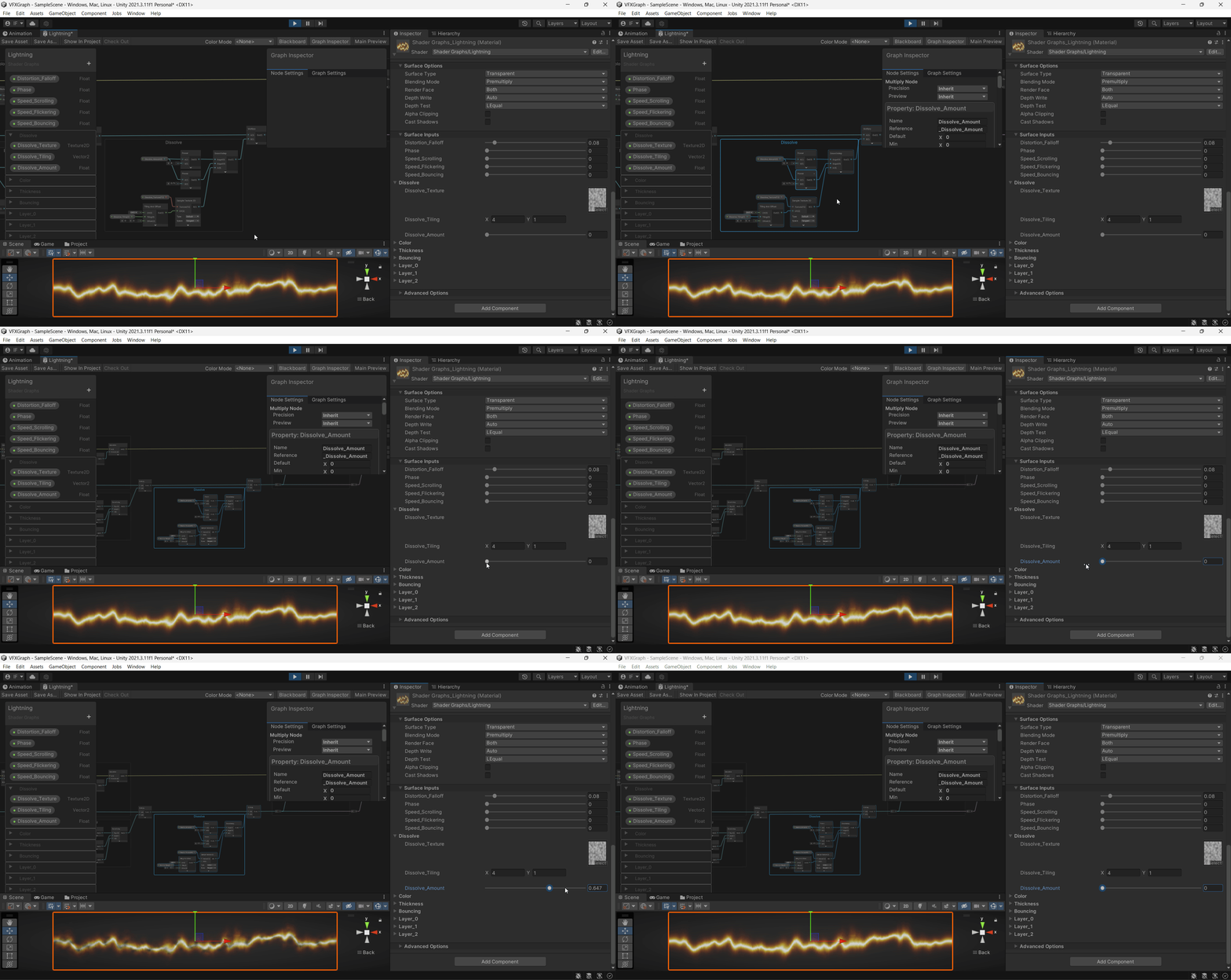
Another offset handler for the bouncing effect

Then addded a   dissolving texture to fadeout the  lightning into small particles

Then addded a dissolving texture to fadeout the lightning into small particles

Then a "distortion multiplier" to handle the strength of all noise layers simultaneously

Then a "distortion multiplier" to handle the strength of all noise layers simultaneously

Added another procedural mask  using   the  UV for  soft edges, avoiding the silhouette of the lightning being cut by the edges of the mesh

Added another procedural mask using the UV for soft edges, avoiding the silhouette of the lightning being cut by the edges of the mesh

All parameters animated

All parameters animated

Added another global offset that will allow all parameters to "shift" simultaneously, allowing to feed that with a random number and aways generate new lightning animations

Added another global offset that will allow all parameters to "shift" simultaneously, allowing to feed that with a random number and aways generate new lightning animations

Also Spread that "global offset" over every procedural animation

Also Spread that "global offset" over every procedural animation

Another procedural UV Mask to smooth the tips of the lightning

Another procedural UV Mask to smooth the tips of the lightning

Added another layer of distortion to enhance the final dissolving effect

Added another layer of distortion to enhance the final dissolving effect

Then animated the static distortion to increase over the end of the animation to look like the lightning is  dissipating mid-air

Then animated the static distortion to increase over the end of the animation to look like the lightning is dissipating mid-air

Added a classic depth fade to avoid noticeable seams on cliping meshes

Added a classic depth fade to avoid noticeable seams on cliping meshes

Then created on Blender a mesh made of quads to achieve something more "volumetric",  and added a different vertex color to each of  the  quads

Then created on Blender a mesh made of quads to achieve something more "volumetric", and added a different vertex color to each of the quads

Then, on Unity, I've used  the vertex color as "initial offset values", thus  creating a different lightning silhouette on each "blade" of the mesh

Then, on Unity, I've used the vertex color as "initial offset values", thus creating a different lightning silhouette on each "blade" of the mesh

Finaly added an animation to the scale of the mesh, enhancing the  sensation of energy being spread mid-air

Finaly added an animation to the scale of the mesh, enhancing the sensation of energy being spread mid-air

The output Graph

The output Graph

Final Output purely using only shaders and keyframed  parameters

Final Output purely using only shaders and keyframed parameters

Shader - Lightning - 0